

Will Cooke
7 July 2017
Ubuntu Desktop Weekly Update: July 7, 2017
GNOME
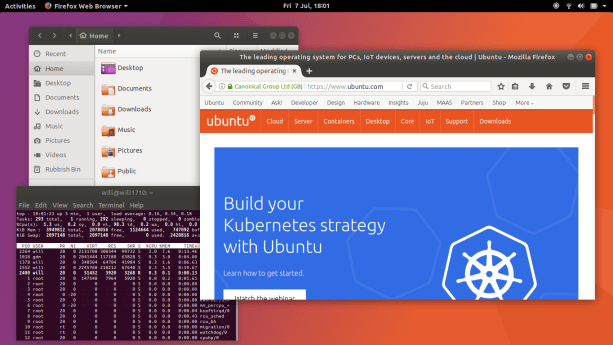
We’ve been working on the migration and transition processes for users going from Unity 7 to GNOME Shell. We’ve worked on migrating favourites, the Amazon launcher, resetting scaling factors and migrating unity-control-center shortcuts to gnome-control-center. You can read more about the changes to the GNOME session here.
This has now been released into Artful, and we’d be very interested in getting bug reports for things which are not migrating correctly. Please log bugs here.
LivePatch
We’ve updated the software properties window which displays the current state of Live Patches installed or available following work with the design team, another design iteration is in progress and we’ll refresh the design once that’s completed. The LivePatch team are working on an authentication API to allow us to register and obtain a key within a Live Patch setup tool.
Snaps
A new version of the LibreOffice Snap is available for testing. We’d appreciate your feedback.
Video & Audio
We’re making progress on accelerated video playback on Intel, but we’re uncovering a lot of bugs along the way. Bugs in the Intel VA driver, bugs in Totem and bugs in GStreamer – but we’re chipping away at them. As always, this wiki page has more details.
While we’re focusing on Intel at the moment, Nvidia and AMD will be worked on in time.
At the Snappy sprint last week we were talking to the Elementary developers about Pulse Audio and the Cork plugin which should mute/pause audio when a call comes in.
They logged a bug and we now have a PPA up for testing. If you’re interested in testing this out, please read this post.
Updates
- Chromium 59.0.3071.109 was published to all supported releases
- Updated Chromium beta to 60.0.3112.50
- Pulse Audio 1:8.0-0ubuntu3.3 now released into Xenial.
Unity 7
Unity 7 is supported in the current releases, and we’re working on landing some further improvements and bug fixes to the low graphics mode in Xenial. This will be of most use to people running Unity 7 over a remote desktop protocol or on computers without advanced graphics cards. Specifically the improvements are with the fade-out animation which was still happening despite having a duration of zero, optimising the damage events when resizing windows to only redraw the border when necessary and some improvements in the colour averaging routines used in opaque regions of the shell.
We also expect the Unity 7 session to still work in 17.10, but there will be some issues along the way. We’ve started to list the known and expected issues.
As always, testing and bug reports are welcome.
In The News
Robert shares his update from the Snappy sprint
Iain shares some insights into the move from Unity to GNOME
Ubuntu Testing Days for GNOME


